GitHub Theme Updater
Updates a WordPress theme straight from a GitHub repository - private ones included - with backups, one-click rollback, protected paths and live progress.

Who this plugin is for
For agencies and freelancers who keep their own themes in GitHub for many clients and want to ship changes with one click instead of uploading files over FTP. For stores and companies with a custom theme that want updates as convenient as for plugins from wp.org - with a backup and a way back when something goes wrong.
What problem it solves
A custom theme has no update channel like plugins from wp.org do. What is left is a deploy over FTP or a ZIP uploaded by hand: slow, easy to get wrong and with no way back when the new version fails. The plugin turns that into one button in the WordPress admin - with a backup before every update and a rollback when you need one. In the store it was built for, rolling out a new theme version went from about 30 minutes to 5 minutes per store.
What it does
- Updates the theme from GitHub - from a published release or from the current state of a branch
- Private repositories through an access token, encrypted before it is stored or kept in wp-config.php
- An automatic backup before every update, and an automatic restore when the update fails
- One-click rollback to an earlier version
- Protected paths that survive an update - config files, translations or acf-json, for example
- Live progress: each step, a running file count and the elapsed time
- Scheduled version checks with a notice in the admin (can be switched off)
- A lock against parallel operations and a log of recent updates
See how it works
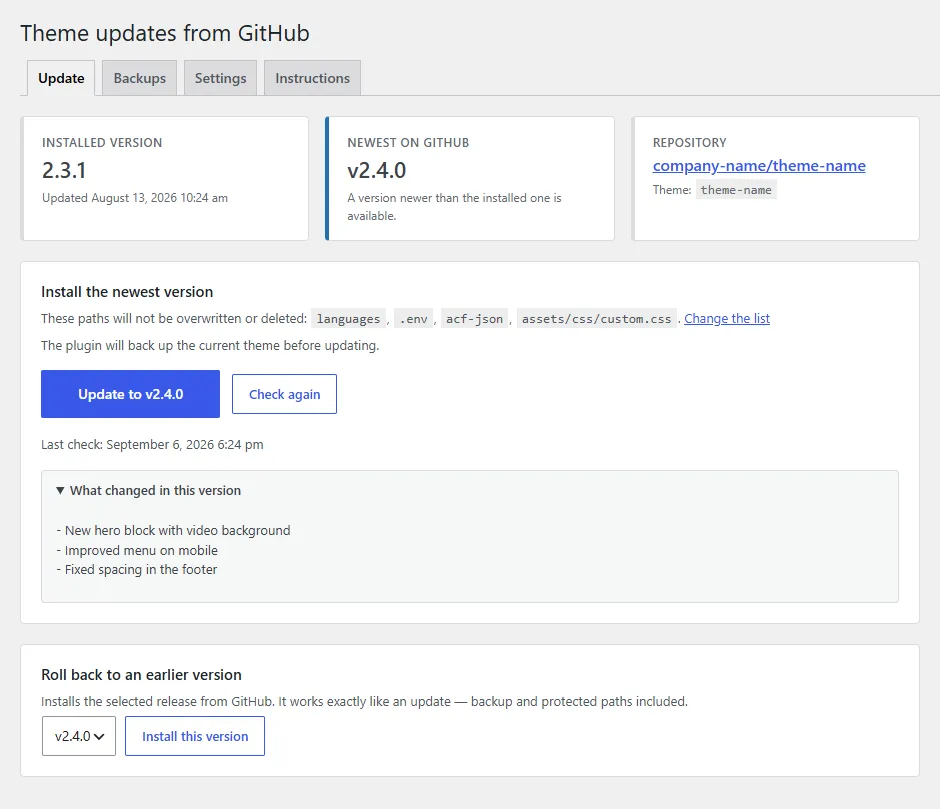
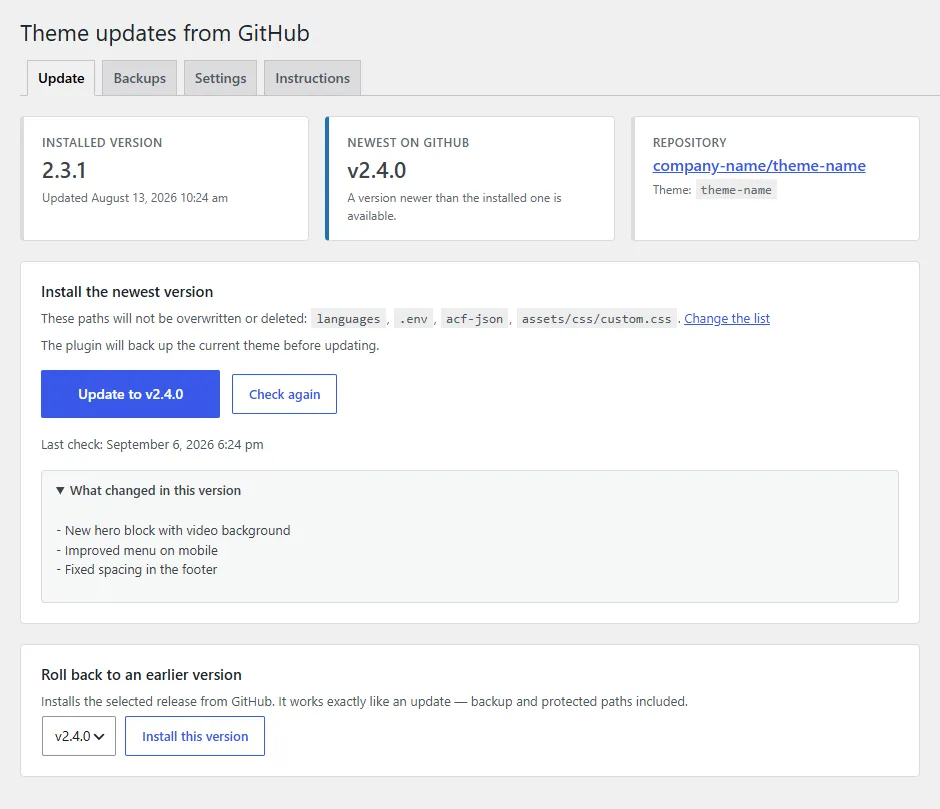
Update: pick a release, see the theme state and the log of recent operations 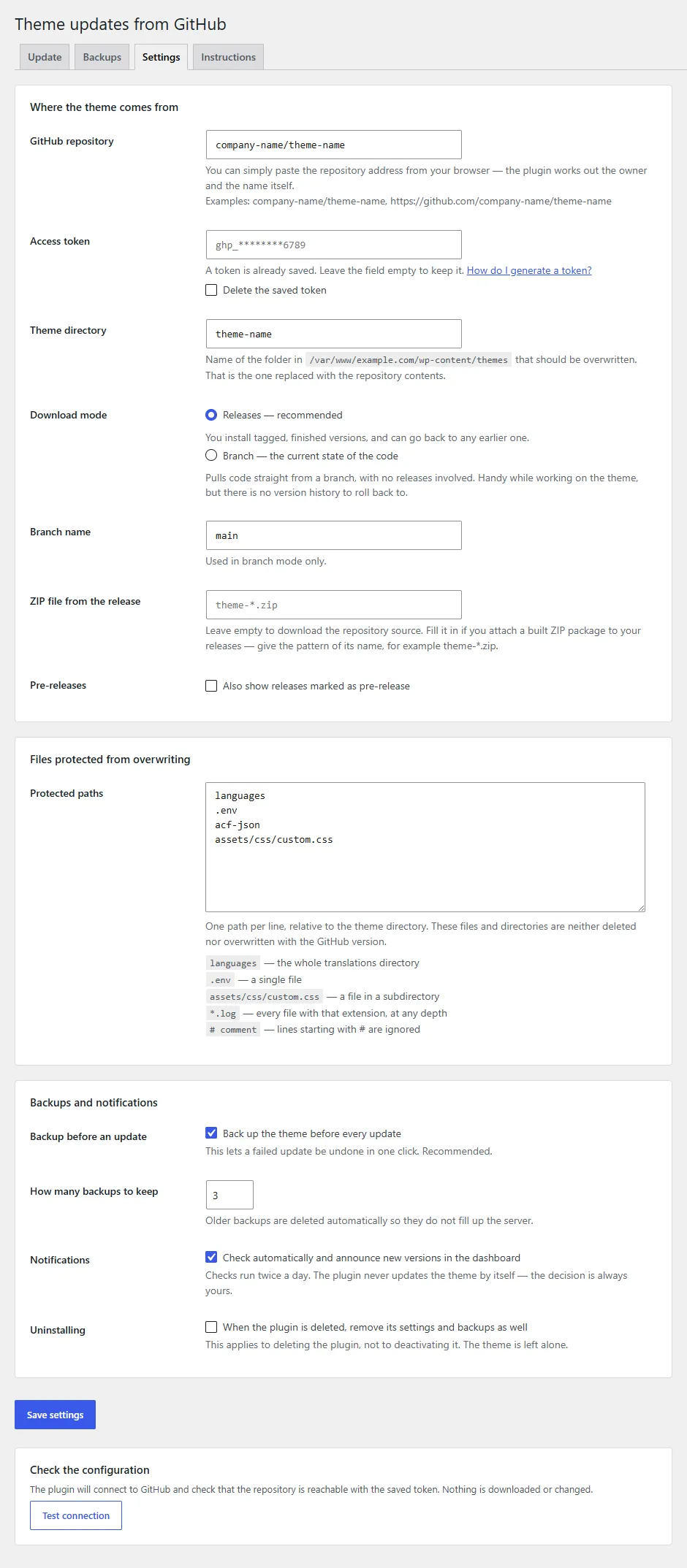
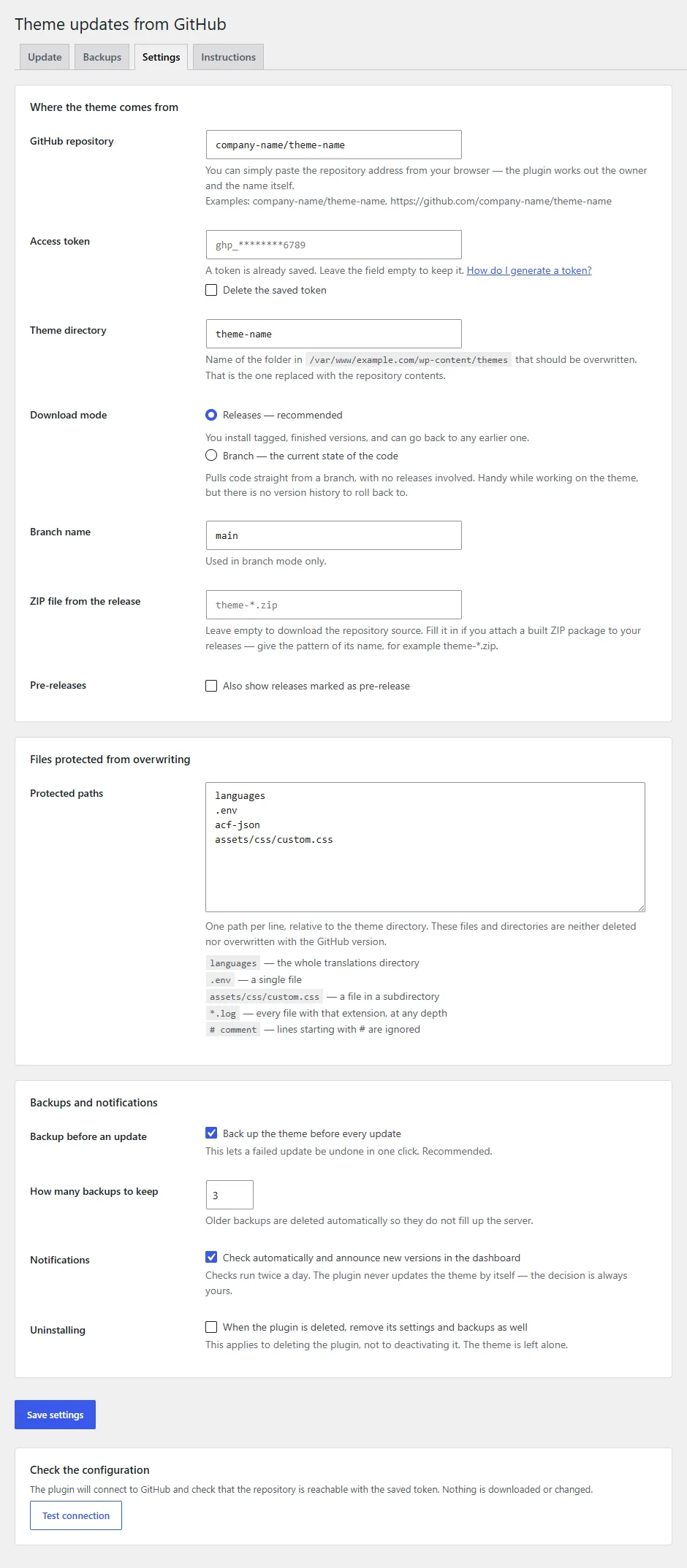
Settings: repository, token, source and the paths an update must not touch 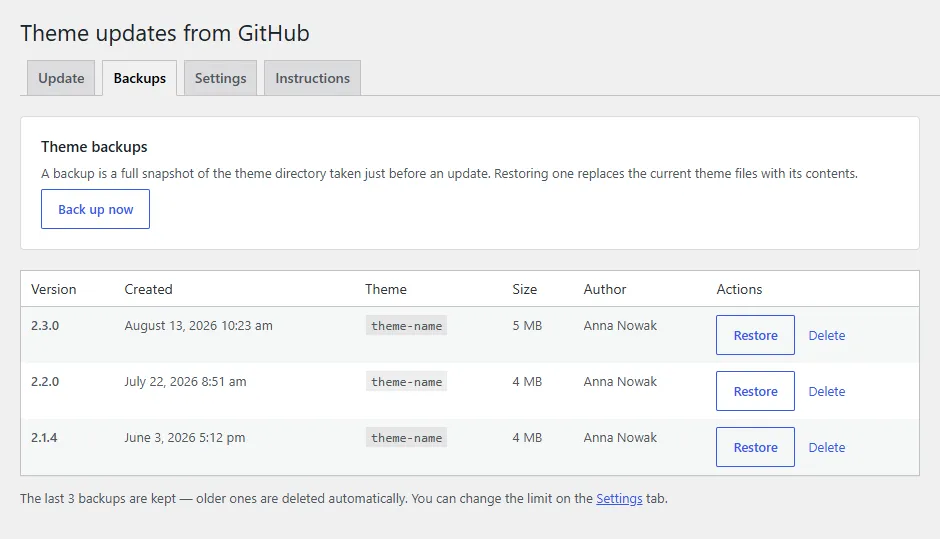
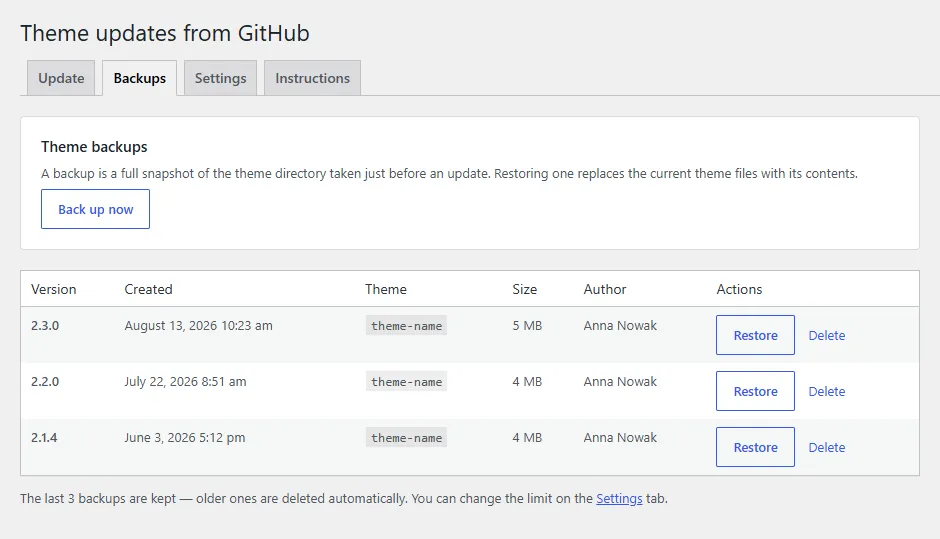
Backups: restore the theme with one click
Installation and the first update
- Download the ZIP of the latest release from GitHub and install it in the admin: Plugins, Add New, Upload Plugin.
- In the plugin settings enter the repository as owner/repo, the theme directory to update and - for a private repository - an access token.
- Pick the source: published releases or the current state of a branch. Add the paths that must survive an update.
- On the Update tab choose a version and click Update. The backup is taken automatically and you watch the progress live.
- If the new version misbehaves, restore the previous one on the Backups tab, or roll back to an older release on the Update tab.
# Latest release (ZIP):
https://github.com/msiemieniukmorawski/github-theme-updater/releases/latest/download/github-theme-updater.zip

# Optional - keep the token out of the database, in wp-config.php:
define( 'GTHU_GITHUB_TOKEN', 'ghp_...' );
The direct address of the latest release ZIP (stable, it does not change with the version) and an optional constant with the token in wp-config.php - the token then never reaches the database.
Requirements and licence
- WordPress
- 5.8+
- PHP
- 7.4+
- Also
- The theme in a GitHub repository; for a private repository an access token with read access to the repository
- Licence
- GPL-2.0
- Changelog
- Releases on GitHub
Why it exists
The plugin was born at an online store that runs as several instances on one shared theme. The theme was developed in GitHub, but it reached each store the way it did ten years ago: over FTP, file by file. One deployment took about 30 minutes per store, and every store had to be handled separately.
Why not GitHub Actions and a pipeline? Because the client wanted control over deployments, not a black box: click Update themselves, see what is happening and have logs they can come back to. That is where the live progress view, the log of recent operations and the one-click restore from backup come from, instead of a blind deploy.
The result: rolling out a new theme version went from about 30 minutes to 5 minutes per store. Today I use the plugin in three stores on the same theme, and the code went to GitHub because every agency maintaining one theme for many clients has the same problem.
Need a custom theme that updates with one click?
I design and build custom WordPress themes and ship them from GitHub the way shown here: with backups, rollback and updates from the admin. Also for companies that already have a theme and just want to maintain it comfortably.