Ship Today & Delivery Dates for WooCommerce
Shows customers how much time is left until the cutoff and when the parcel leaves, and adds a delivery date choice at checkout that goes to the order, emails and admin.
Running in 3 stores, including tezapiekanki.pl.

Who this plugin is for
For WooCommerce stores that ship on set days or until a set time and want to tell customers before they ask. For stores that take orders for a specific date, such as fresh or made-to-order products. For agencies and freelancers who need one schedule in the widget, checkout, emails and order admin.
What problem it solves
On a product page the customer wants to know one thing: when the parcel arrives. Stores usually answer with a fixed sentence that ignores the time of day, weekends and holidays, so on Friday evening it still promises shipping tomorrow. On top of that, the date in the widget, at checkout and in the order admin live separately and staff keep them in sync by hand. The plugin keeps the schedule in one place: shipping days, cutoff times, holidays and days without deliveries. It uses that schedule for the countdown on the page, the checkout tiles, the dates in emails and the orders list column.
What it does
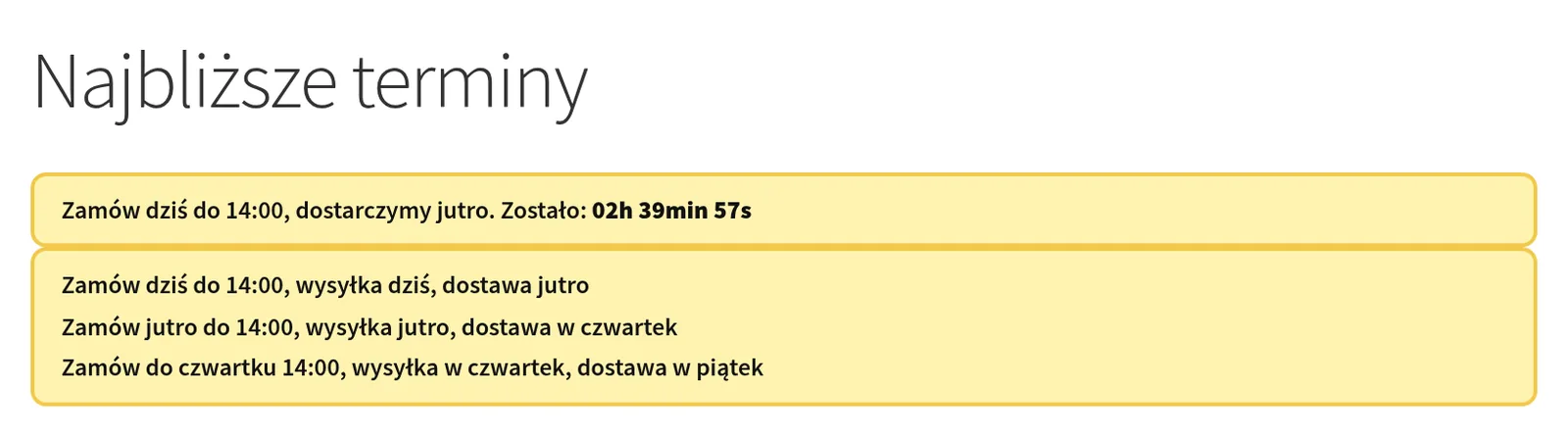
- A countdown widget in two modes, shown automatically on the product page, cart and checkout (position and priority of your choice) or with a shortcode
- Works with cached pages: a 42-day schedule sits in the HTML and the browser switches the slot after the cutoff, with no AJAX and no nonce
- The cutoff can fall before the ship day, for example shipping on Monday with orders until Sunday 20:00, and the delivery date skips days without deliveries and holidays
- Holidays downloaded automatically from the OpenHolidays API, with regions (e.g. DE-BY), ignored dates and a manual list of excluded dates
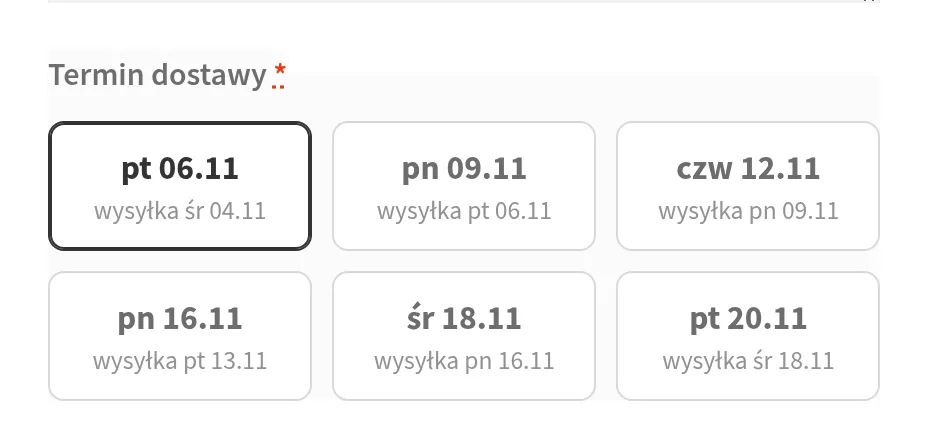
- Date choice in both the classic and block checkout: the same tiles, as a block you can move in the editor at block checkout, and the server rejects a slot that has just closed
- Separate shipping days, cutoff times and delivery days for each shipping method, for example courier until 13:00 and parcel locker until 15:00; changing the method recalculates the tiles
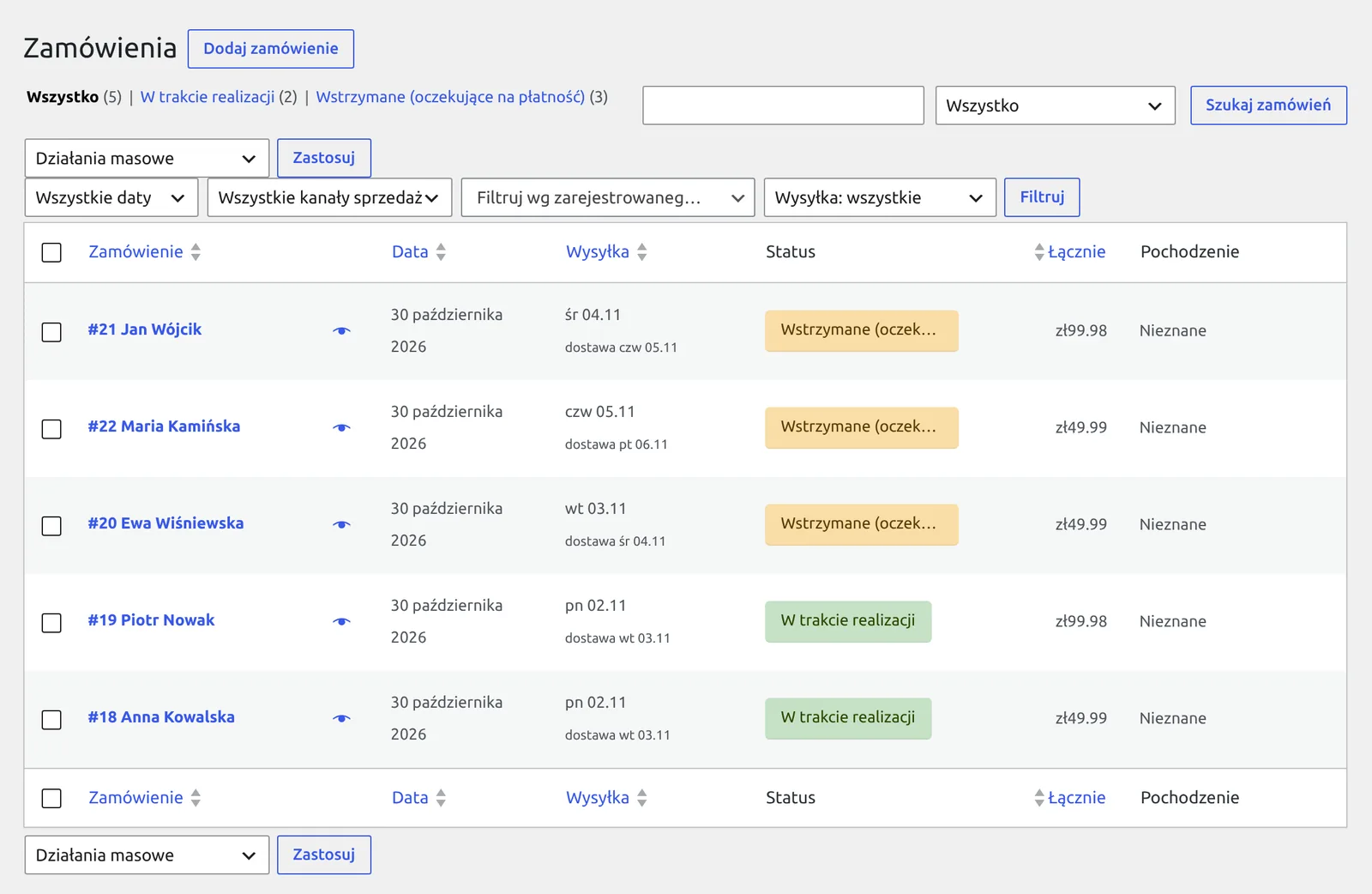
- The date in the order, emails, thank-you page and My Account, date editing in the admin and a sortable, filterable orders list column, HPOS compatible
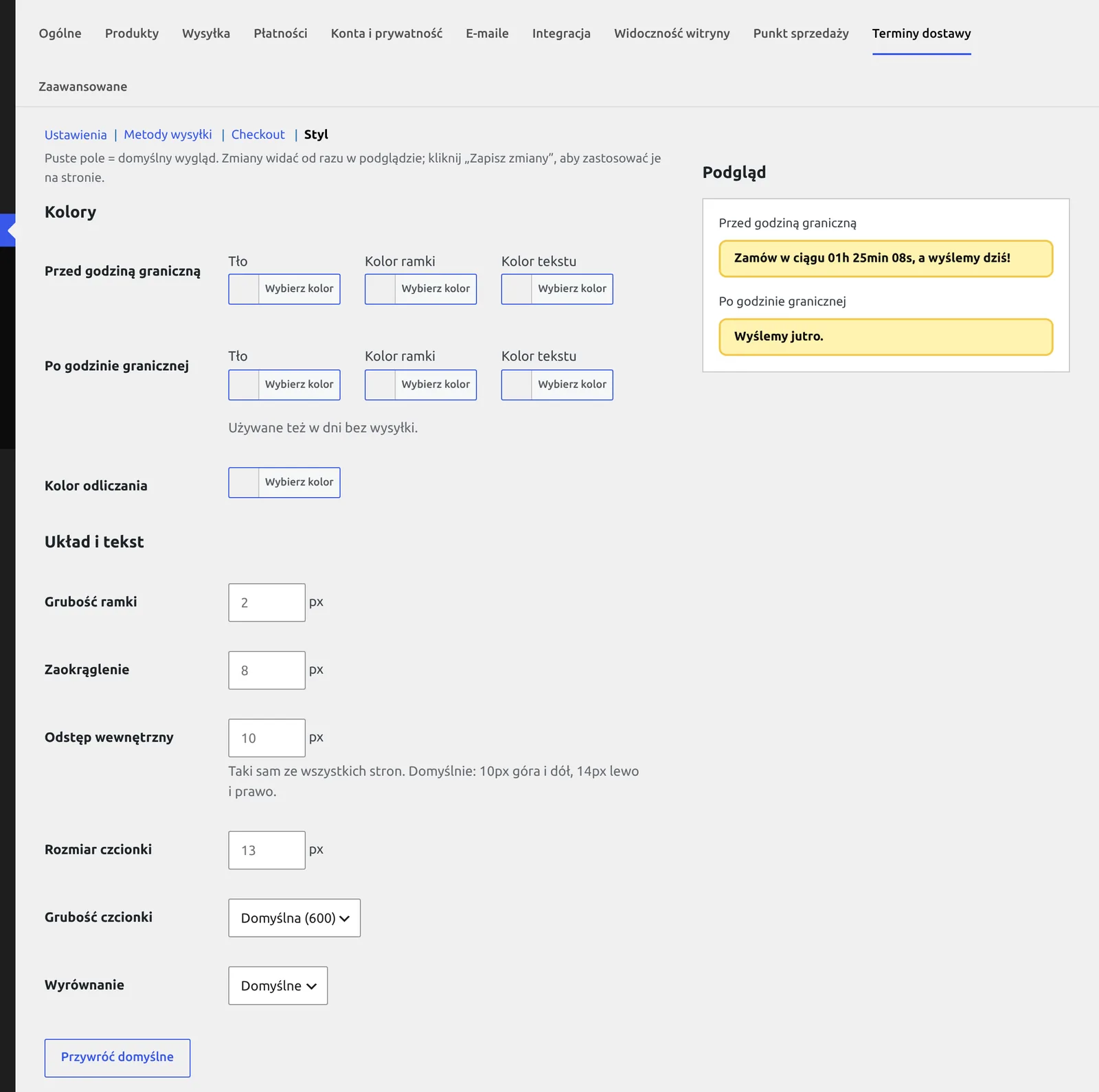
- A Style section with live preview, texts with tokens and weekday declension, Polish and German translations, plus PHP functions, filters and a ?stn_now= test mode for developers
See how it works
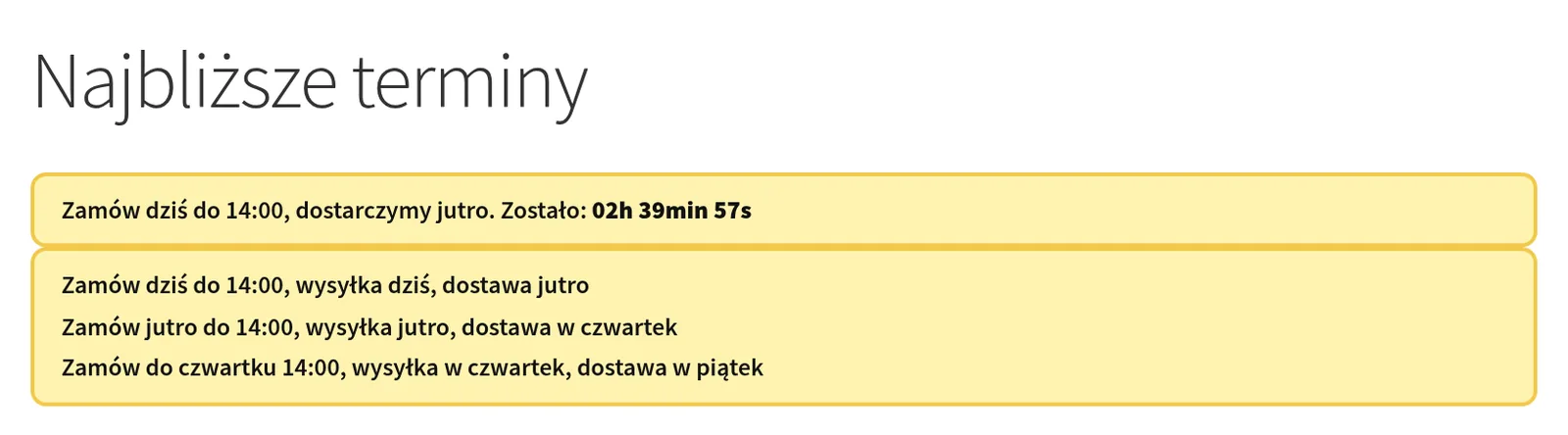
Widget: the next slot with a countdown or a list of upcoming slots, with tokens and weekday declension 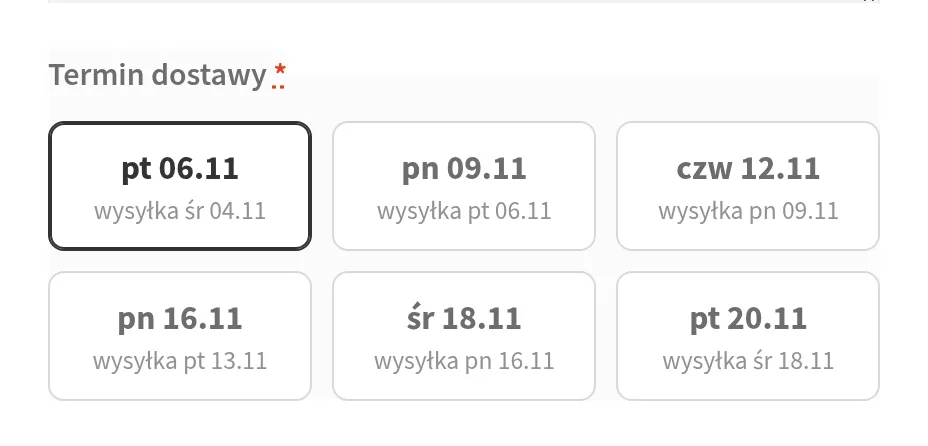
Checkout tiles: you set the large text and the second line, an empty second line disappears 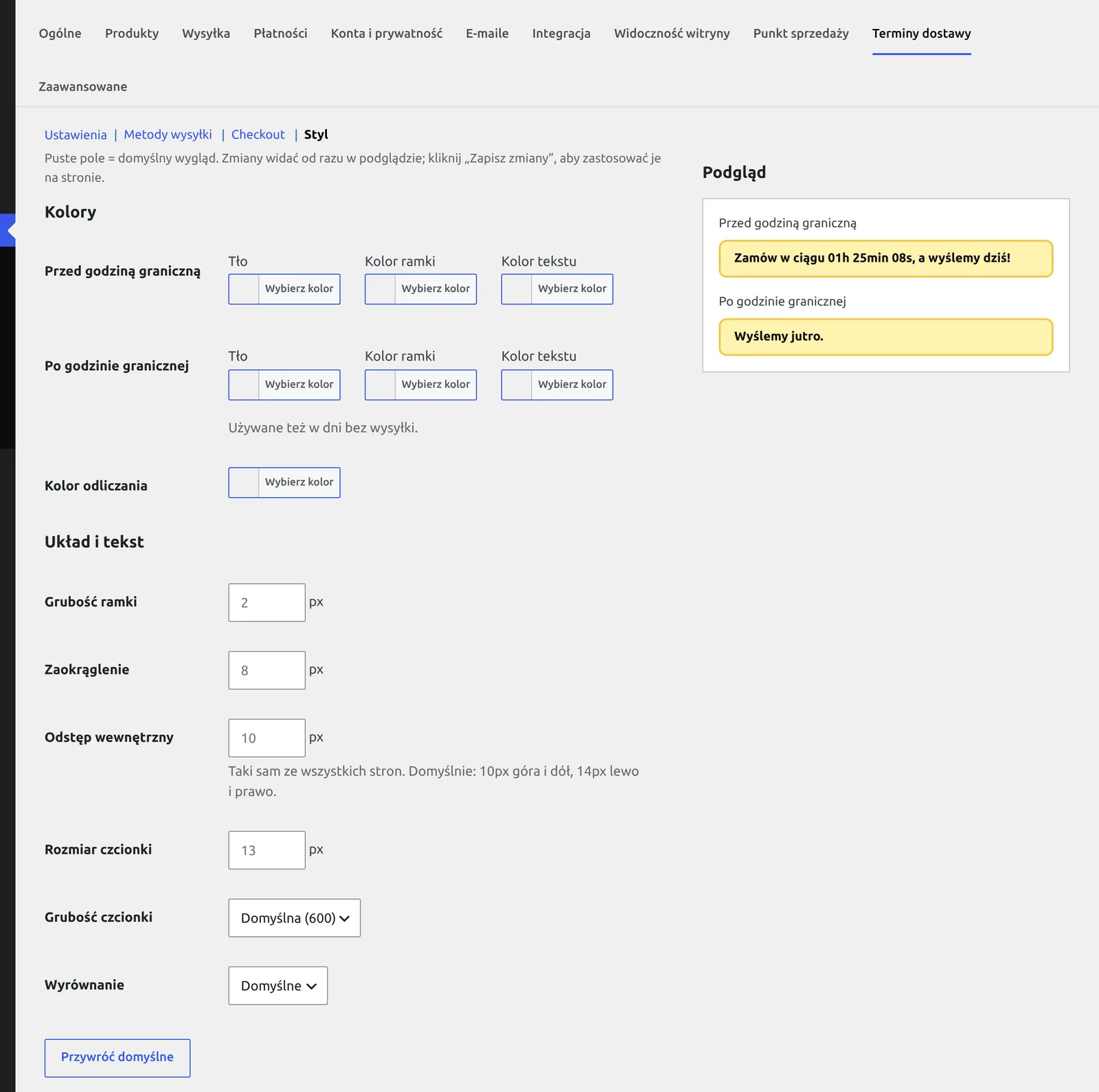
Style section: the widget look set in the admin, with a live preview 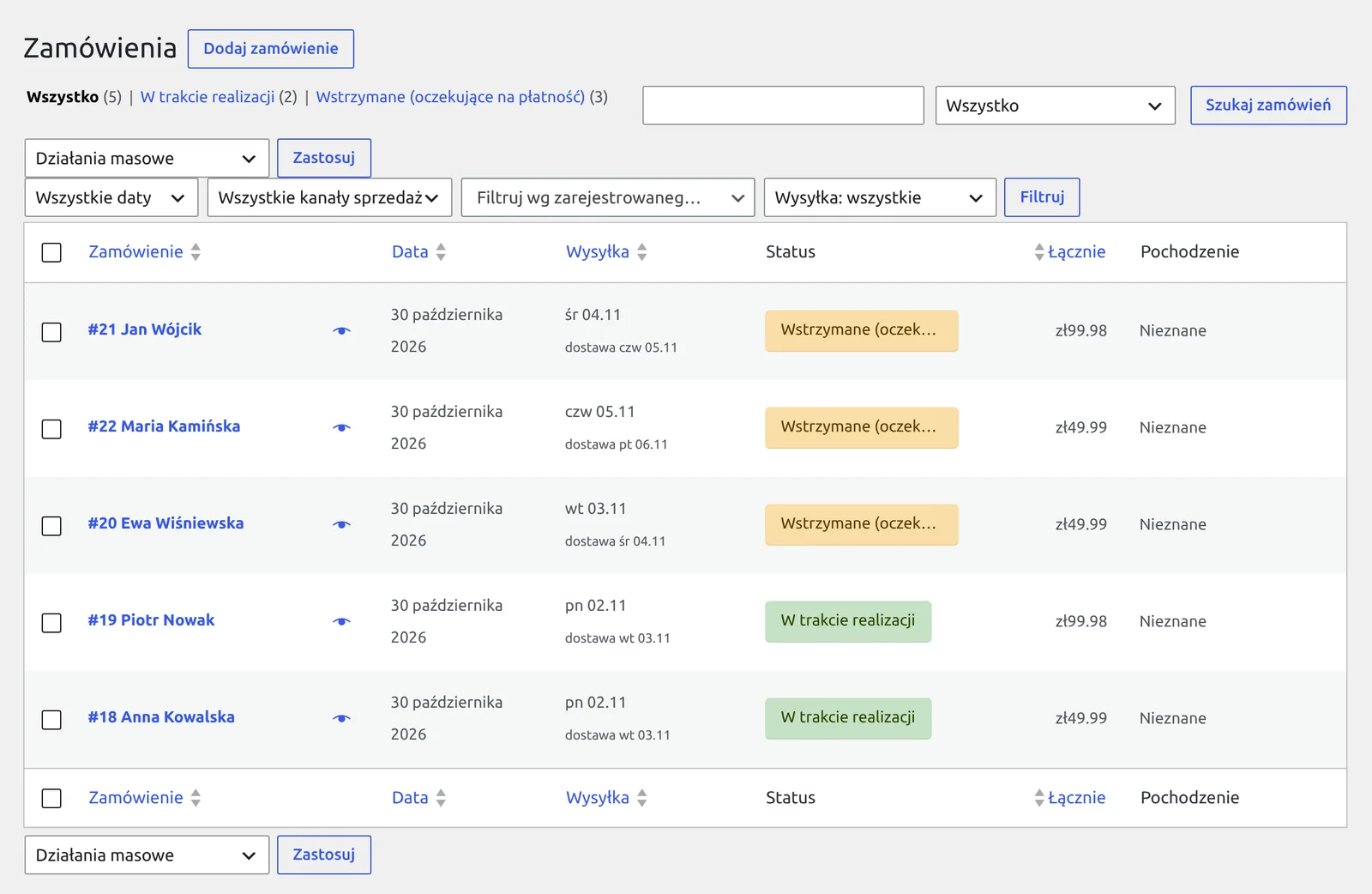
Orders list: a sortable column and a filter by ship date
Installation and the first widget
- In the admin go to Plugins, Add New, search for "Ship Today & Delivery Dates" and click Install Now, then Activate. The plugin is in the WordPress.org directory, so updates arrive like for any other plugin. WooCommerce must be active.
- Go to WooCommerce, Settings, Delivery dates. Select the shipping days and set the cutoff times. Holidays download on their own, or right away with the button at the bottom of the settings.
- If you show a delivery date, set the number of delivery days after shipping and check the next slots table.
- The widget shows up on the product page right away, below the add to cart button. In the Automatic display section you can change the position and priority and enable the cart and checkout, and the [ship_today_notice] shortcode covers any other place. Set the look in the Style section.
- If customers should pick a date, enable the module in the Checkout section. At block checkout the plugin inserts the block for you; at classic checkout choose the field position in the settings.
# WordPress.org directory:
https://wordpress.org/plugins/ship-today-delivery-dates/

# Or the latest release (ZIP) from GitHub:
https://github.com/msiemieniukmorawski/ship-today-delivery-dates/releases/latest/download/ship-today-delivery-dates.zip

# Widget with the text from the settings:
[ship_today_notice]

# Next slot with the delivery date:
[ship_today_notice mode="next_slot" text="Order {cutoff_when}, delivered {delivery_when}. Time left: {countdown}"]

# Next three slots for one shipping method:
[ship_today_notice count="3" method="flat_rate:3"]

# In a theme template:
$slots = wc_stn_get_slots( 3 );
The plugin page on WordPress.org and a direct link to the latest release ZIP on GitHub, the shortcode with its most used attributes and the PHP function returning the next slots. The full list of tokens, filters and attributes is in the README on GitHub.
Requirements and licence
- WordPress
- 6.8+
- PHP
- 7.4+
- WooCommerce
- 9.4+ (blocks: 10.1+)
- Licence
- GPL-2.0
- Changelog
- Releases on GitHub
Why it exists
The plugin started with one thing: a counter on the product page that showed the time left until the cutoff and skipped holidays downloaded from OpenHolidays. Everything else grew out of the problems that followed.
The first came from the cache. The widget asked for the date over AJAX with a nonce, and on a cached page the nonce expired after 12-24 hours, so a 403 error came back instead of a date. In version 2.0 I removed that endpoint: the schedule for the coming weeks sits in the HTML, and the browser runs the countdown itself and moves to the next slot after the cutoff.
The second problem: the counter promised a date but saved it nowhere. Since version 2.1 the customer picks a date at checkout, and it goes to the order, emails and admin.
Not everything worked the first time. Until version 2.2 the default text promised shipping "tomorrow" even on a Friday evening, which is exactly what the plugin was meant to fix. The same version gave the block checkout a dropdown that lasted one release: 2.3 replaced it with the same tiles as the classic checkout. Schedules for shipping methods came next, because a courier and a parcel locker can have different hours.
Today it runs in three stores, including tezapiekanki.pl. The widget, checkout, emails and admin all use one engine, so they show the same date everywhere. The code went to GitHub, and in November 2026 the plugin passed review and joined the official WordPress.org directory, because every store that does not ship everything on the order day has to deal with shipping dates.
Frequently asked questions
Yes, it is tested with Furgonetka and Apaczka. The plugin uses standard WooCommerce shipping methods, so it should work with any other shipping plugin that adds them. Dates are not sent to the carrier: they go to the order, emails and admin.
Yes. The widget does not use AJAX: a 42-day schedule sits in the HTML and the browser switches the slot after the cutoff, so a cached page still shows the correct countdown. With LiteSpeed Cache the plugin also purges the cache at the cutoff, and any other cache can hook into the wc_ship_today_notice_purge_cache action.
Yes. The widget texts and your own tile and message texts go through WPML. You can turn this off in the settings. The plugin itself ships with Polish and German translations.
The server checks the date when the order is placed and rejects it with a message you can change in the settings. Tiles also disappear on an open page after the cutoff.
Yes, from WooCommerce 10.1. Customers pick from the same tiles as at classic checkout, in a block you can move in the editor. On older WooCommerce the block checkout shows no date choice, but the widget works with any checkout type.
No. Local pickup does not require a date.
Unusual shipping or delivery dates in your store?
I set up WooCommerce shipping and checkout and write integrations when an off-the-shelf plugin is not enough. Also when you are moving a store from another delivery date solution.